CANopenTerm: A Terminal-Based Swiss Army Knife for CAN Bus Analysis
If you work with CANopen CC networks, you know the importance of having a reliable tool to monitor bus traffic. CANopenTerm, developed by Michael Fitzmayer, is a fresh solution that takes a terminal-driven approach. Unlike heavyweight GUI applications, it focuses on speed, scriptability, and a lean interface. Designed for real-time use, it lets you sniff raw frames, trace messages, and probe nodes — all from the console. With support for Lua and Python scripting, it adapts to advanced workflows, including protocol-aware inspection. This tool is especially valuable for those comfortable with text-based interfaces and who need a fast, customizable CAN bus analyzer. Below, we answer common questions about this practical utility.
1. What exactly is CANopenTerm and what problem does it solve?
CANopenTerm is a terminal-driven software tool designed for monitoring and interacting with CANopen and general CAN bus networks. Developed by Michael Fitzmayer, it addresses the need for a lightweight, real-time monitor that can capture raw frames, perform tracing, and probe nodes without the overhead of a graphical user interface (GUI). Many existing solutions are bulky and slow to operate, especially in field debugging or automation scenarios. CANopenTerm fills that gap by providing a fast, scriptable environment that works directly in the console. It’s particularly useful for engineers and hobbyists who need to quickly inspect bus traffic, filter specific messages, or automate testing procedures. By keeping the interface minimal, the tool ensures low latency and high responsiveness, making it ideal for time-sensitive analysis.
2. What are the core functionalities of CANopenTerm?
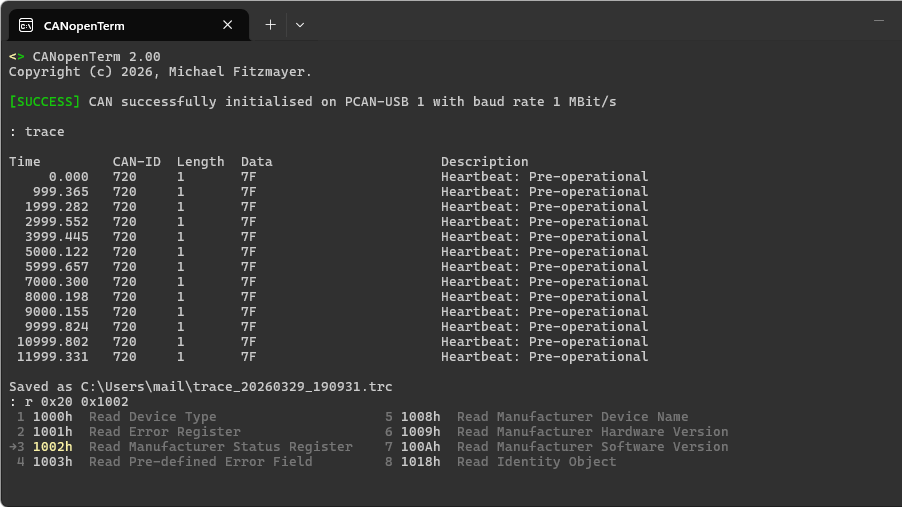
The tool packs several essential features into a compact command-line package. Its primary functions include real-time sniffing of raw CAN frames on the wire, allowing you to see every message as it’s transmitted. You can also perform tracing to record and review communication patterns. Node probing lets you query individual devices on the network to check their status and configuration. Beyond these basics, CANopenTerm offers protocol-aware inspection — if your application requires understanding higher-layer protocols (like CANopen itself), the tool can parse and display decoded data. All operations are initiated and controlled from the terminal, making it easy to integrate into scripts or automated test suites. The emphasis is on speed and simplicity, avoiding the bloat of graphical monitors.
3. How does CANopenTerm’s terminal-driven approach compare to GUI-based tools?
GUI-based CAN bus analyzers often provide visual dashboards, drag-and-drop filters, and graphical timelines. While these can be user-friendly, they come with overhead: slower startup, higher resource consumption, and sometimes a steep learning curve for advanced tasks. CANopenTerm’s terminal-driven design flips that model. It boots quickly, uses minimal RAM, and responds instantly to commands. Power users who prefer text interfaces can chain commands, use piping, and automate repetitive tasks via shell scripts. The tool’s scripting support (Lua/Python) further extends its flexibility beyond what most GUIs offer. However, the text-based interface may intimidate beginners. For those comfortable with the command line, CANopenTerm provides a faster, more efficient workflow than clicking through menus. It’s not about replacing GUIs but offering a lean alternative for specific use cases.
4. What scripting capabilities does CANopenTerm support?
CANopenTerm integrates two popular scripting languages: Lua and Python. This allows you to extend the tool’s functionality beyond its built-in commands. For example, you can write a Lua script to filter incoming frames based on custom criteria, or use Python to log data to a database for post-processing. Scripts can automate node probing sequences, generate test patterns, or even implement proprietary protocols on top of the CAN bus. The scripting interface is designed to be fast — you can reload scripts on the fly without restarting the tool. This makes it suitable for iterative development and live debugging. By combining the terminal’s speed with the flexibility of scriptable logic, CANopenTerm becomes a powerful platform for both quick inspections and complex automation tasks.
5. Can CANopenTerm perform protocol-aware inspection?
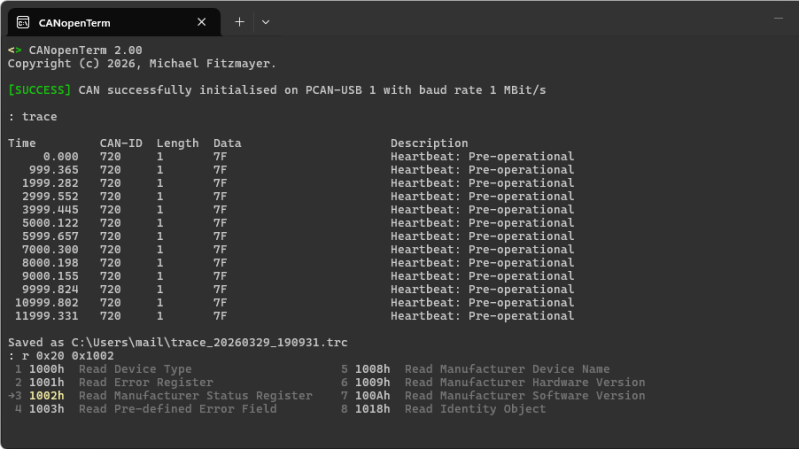
Yes, CANopenTerm includes the ability to perform protocol-aware inspection when relevant to your use case. This means it can decode and display CANopen-specific messages (like PDOs, SDOs, and NMT commands) in human-readable form, rather than just raw hex frames. For networks using other higher-layer protocols, you can extend the tool’s capabilities via scripting. The protocol-aware mode is optional — you can toggle it based on your debugging needs. This feature is particularly valuable when working with complex CANopen networks where understanding the meaning behind the bits is essential. By providing both raw and decoded views, CANopenTerm caters to different levels of analysis, from low-level electrical debugging to application-layer troubleshooting.
6. Who would benefit most from using CANopenTerm?
CANopenTerm is ideal for engineers, developers, and hobbyists who work with CAN or CANopen networks and prefer lightweight, text-based interfaces. It’s especially suited for those who need to quickly sniff traffic, test node responses, or write custom automation scripts without the overhead of a GUI. If you’re comfortable with the command line and value speed and scriptability over visual polish, this tool is a great fit. It’s also useful in embedded development environments where resources are limited (e.g., on a Raspberry Pi or a remote server). Additionally, anyone exploring CAN bus hacking or reverse engineering may find its raw frame sniffing and scripting capabilities invaluable. As the original article notes, knowing how to work with CAN machinery pays off, and CANopenTerm is a practical addition to your toolkit.
For more insights, check out our coverage of other CAN visualization tools we’ve explored recently. If you have your own projects in this space, we’d love to hear about them.
Related Articles
- YouTube Unveils Automated Deepfake Detection Tool to Protect Creator Identity
- Bring Grafana Assistant to Your Self-Managed Grafana: A Step-by-Step Setup Guide
- AI Code Analysis: Unpacking the Hype Around Mythos and What It Really Means
- America's Power Grid Under Strain: What's Driving the 76% Price Surge?
- A Look at EtherRAT Distribution Spoofing Administrative Tools via GitHub Facades
- U.S. Power Grid's 'AI Gap' Exposed as Prices Surge 76% on Largest Network
- Intel Begins Trial Production of Apple Silicon Chips, Eyes 2027 Mass Launch
- Building Resilient Agentic Systems: Overcoming File-Based Limitations and Context Collapse